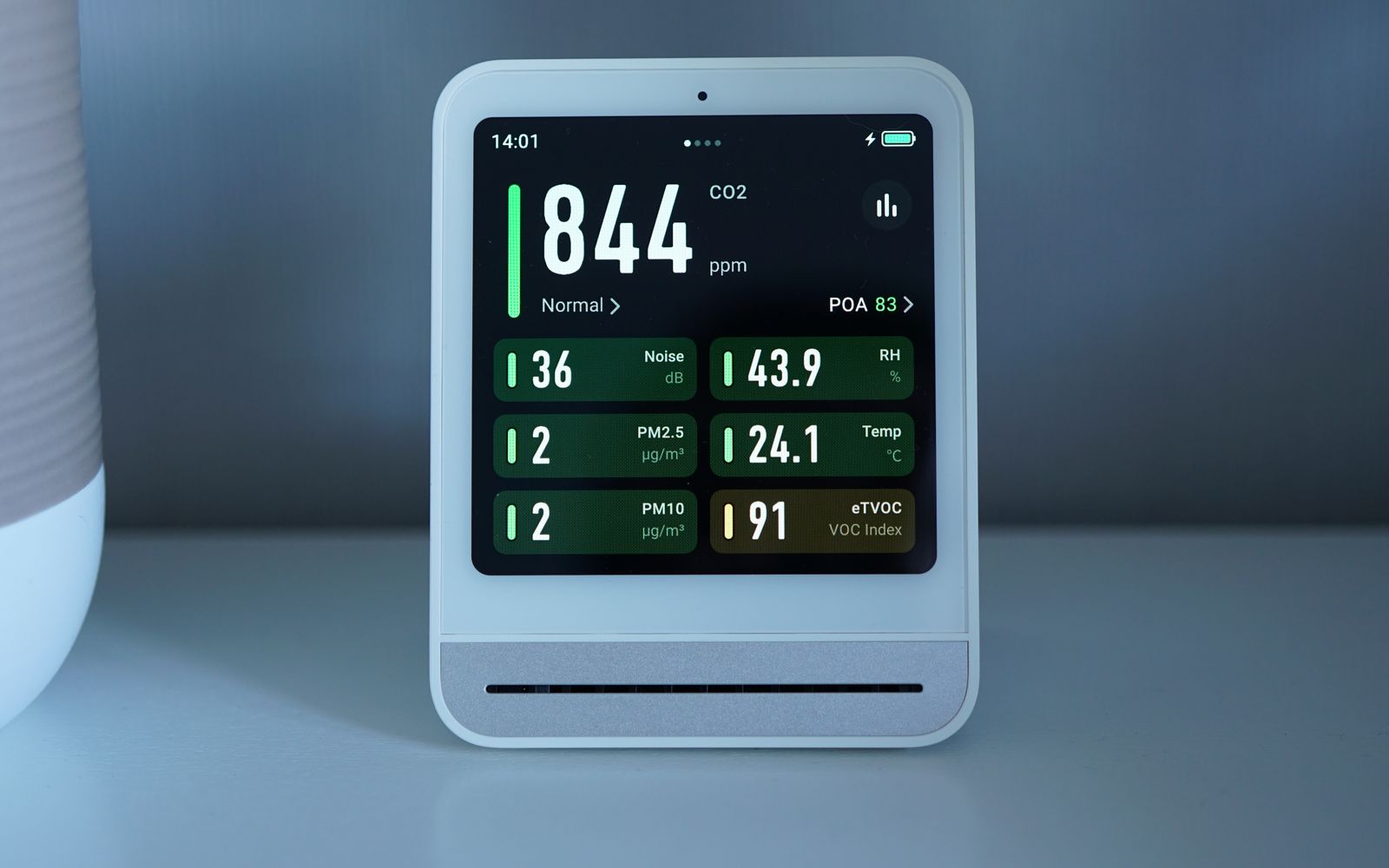
A basement that stays near 70% RH is above the EPA recommendation to remain below 60%, ideally 30–50%. Before replacing the dehumidifier, verify 70% with a separate hygrometer and log room temperature, RH, and water removed for 24 hours with exterior windows and doors closed. Little water with no RH decline points toward an operating or setup problem; substantial water removal with no RH decline points toward a large ongoing moisture load or inadequate capacity. Active seepage must be corrected at its source.
What matters most
- Confirm the 70% reading away from the dehumidifier's intake and warm exhaust.
- Use water removed and RH change together; either number alone can mislead.
- A rain-linked spike, wet wall-floor joint, or standing water is a building-water problem, not a lower-set-point problem.
Match the RH trend to what the machine actually did
This is a household diagnostic log, not a laboratory capacity test. At the same remote sensor, record temperature and RH at the start, about 6 hours, and 24 hours. Note rain, open exterior doors or windows, laundry, and either bucket volume or continuous-drain flow.
| What the log shows | What it suggests | Next check |
|---|---|---|
| Remote meter and unit both stay near 70%; little or no water is removed | The unit may be stopped by a full bucket, poor hose fall, blocked airflow, frost, a control setting, or an operating fault. | Check the bucket switch, hose routing, filter, grille clearance, coil condition, set point, and the manufacturer's operating-temperature limits. |
| The unit reports the target RH, but a remote meter remains near 70% | Air at the built-in sensor is not representing the basement, or one sensor has a consistent offset. | Place two meters together in stable air for 24 hours, then put the remote meter across the room away from the exhaust, walls, and wet surfaces. |
| Water is removed steadily, but RH barely falls | Moisture may be entering about as fast as the machine removes it, or the available capacity is too low for the space and dampness level. | Inspect for humid outdoor-air paths, wet materials, plumbing leaks, seepage, and connected crawl-space air; then compare the unit's current pint rating with the room condition. |
| RH falls with the basement closed, then rebounds when an exterior door or window opens | The open air path is adding a meaningful moisture load under those weather conditions. | Keep the opening closed during humid weather and compare indoor and outdoor dew points before using ventilation as the drying strategy. |
| RH rises after rain, and the wall-floor joint, carpet edge, sump area, or masonry becomes wet | Bulk-water entry is dominating the vapor load. | Trace gutters, downspouts, grading, drains, sump operation, cracks, and penetrations; correct water entry before adding equipment. |
| RH rises while basement temperature falls, but calculated dew point changes little | Some of the RH rise is caused by cooler air rather than a matching increase in water vapor. | Use the dew-point trend plus surface temperatures to check condensation risk; still act if RH remains above 60% or surfaces are wet. |
Build a trustworthy baseline
Put a separate hygrometer across the basement, not beside the dehumidifier, a supply register, an exterior wall, or an obviously wet surface. Let it stabilize and record temperature with RH because cooling air raises relative humidity even when the actual water-vapor content changes little.
For the controlled log, close exterior windows and doors, keep normal interior connections documented, and record rain or moisture-producing activities. Do not move the meter between readings. If two meters disagree materially, compare them side by side before deciding which number controls the diagnosis.
Check whether the unit is able to remove water
Follow the manual for filter cleaning, grille clearance, drainage, set point, and approved operating temperature. ENERGY STAR notes that frost can reduce performance in spaces below 65°F, although the unit's own rating and defrost instructions are the authority for that model.
A capacity label is based on standardized conditions, not a promise that every basement will lose that many pints each day. ENERGY STAR explains that required capacity depends on both floor area and how damp the space is. This is why the 24-hour log pairs actual water removal with the room's temperature and RH trend.
- Bucket stops the unit when full
- Continuous drain has a kink, uphill section, or poor termination
- Filter or grille restricts airflow
- Coil frosts or the room is outside the rated temperature
- Control mode or set point limits runtime
Separate capacity from an ongoing moisture source
If the unit collects water steadily yet the remote RH stays near 70%, it is doing work but not winning against the load. Look for rain-linked seepage, wet porous contents, a leaking pipe, a dryer vented indoors, humid outdoor air, or an adjacent crawl space connected to the basement.
Do not treat a larger machine as a repair for bulk water. The EPA's moisture guidance prioritizes leaks, drainage, and quick drying of wet materials. Compare a replacement only after you know the approximate area, room condition without drying, operating temperature, and whether the source can be corrected.
Know when to stop the appliance check
Stop and use qualified help for standing water near electrical equipment, sewage-contaminated water, damaged wiring, foundation movement, or a recurring leak you cannot isolate. Do not handle a plug, cord, pump, or dehumidifier while standing in water.
If the room is safe and dry enough to inspect, preserve the log and photos. A contractor can use the timing, water-removal evidence, and first wet location more effectively than a single 70% reading.
A measured action plan
- 1Confirm 70% with a separate meter placed away from the unit.
- 2Record temperature, RH, weather, and water removed at 0, 6, and 24 hours.
- 3Check the bucket or drain, filter, airflow, frost, set point, and model temperature limits.
- 4Use the diagnostic table to separate sensor, operation, capacity, outdoor-air, and bulk-water patterns.
- 5Correct leaks, seepage, drainage, or humid-air paths before buying more capacity.
- 6Escalate standing water, electrical risk, structural movement, or an unresolved recurring leak.
Useful tools to compare
These product categories match the checks in this guide. Compare specifications and current instructions; they are not hands-on test recommendations.
Track RH away from vents and wet surfaces.
View current options on Amazon ↗02ENERGY STAR dehumidifiersCompare current pint ratings, drainage, noise, and operating temperature.
View current options on Amazon ↗03Dehumidifier drain hosesConfirm thread size, slope, routing, and leak protection.
View current options on Amazon ↗Sources & further reading
- U.S. EPA — A Brief Guide to Mold, Moisture and Your Home ↗
- U.S. EPA — Controlling Moisture in Your Home ↗
- ENERGY STAR — Dehumidifier Buying Guidance ↗
- ENERGY STAR — Dehumidifier Testing and Capacity ↗
Reviewed against the linked sources in August 2026. Product instructions and local codes take priority for a specific installation.